


Samsung has officially announced the One UI 9.5 beta program, allowing Galaxy users to try the upcoming software update ahead of its stable release.
The beta program initially rolls out to the Galaxy S26 series in select markets, including Germany, India, South Korea, Poland, the United Kingdom, and the United States. Eligible users can enrol in the program through the Samsung Members app.
One UI 9.5 brings several functional improvements and new features across camera controls, health tracking, accessibility, and privacy, enhancing the overall user experience.
Photography and Video Controls
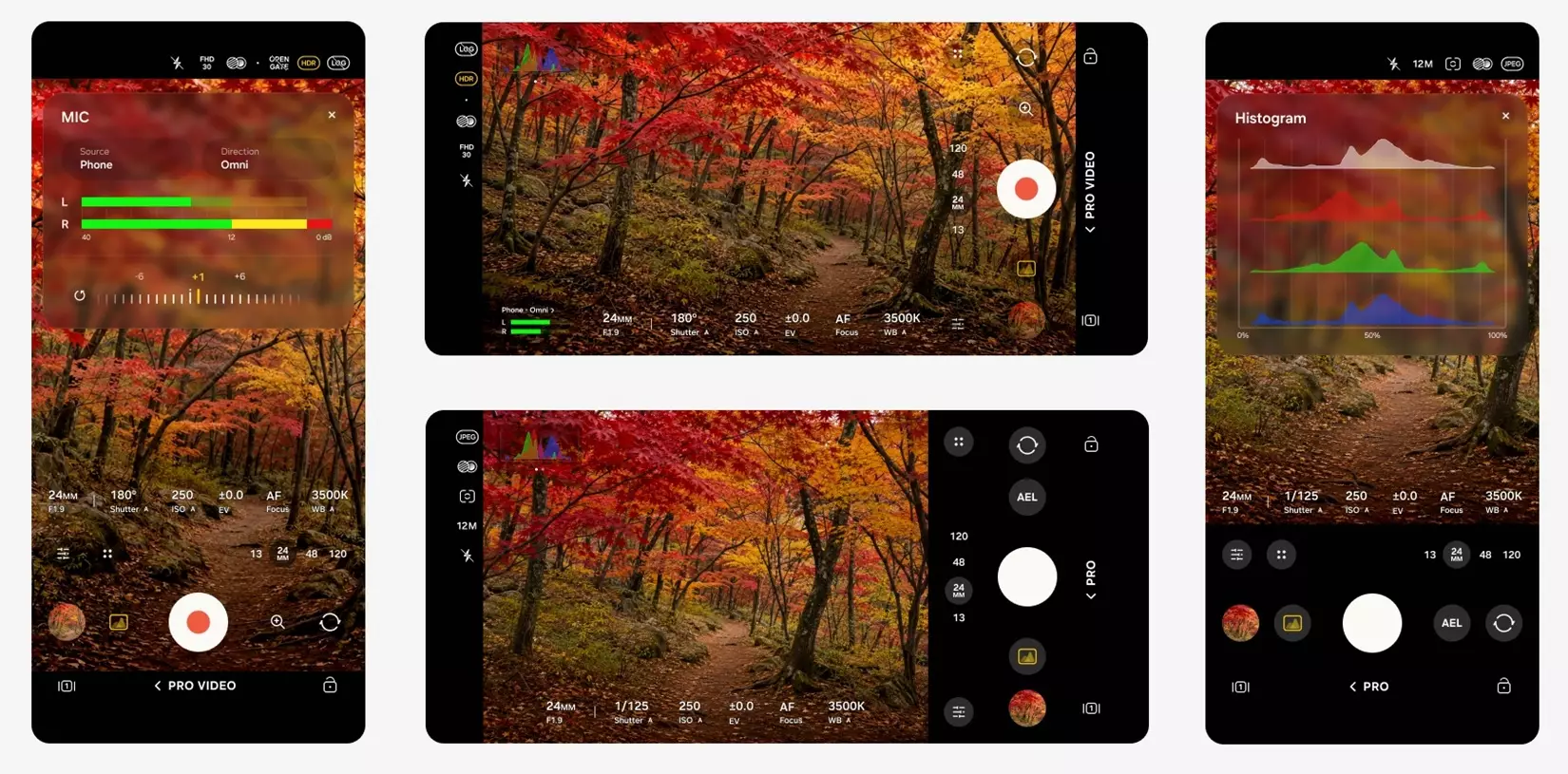
One UI 9.5 introduces changes to the stock camera interface, making manual photography controls easier to access. The standard camera layout now brings essential settings and a dedicated zoom slider together on a single screen, reducing the need to navigate through multiple menus.
Advanced users also get enhanced Pro and Pro Video modes with additional manual controls and custom presets tailored for different shooting conditions. However, these advanced features are available only on devices supporting the full Pro camera functionality and are not supported on models with Pro Lite variants.
Health and Wellness Tracking
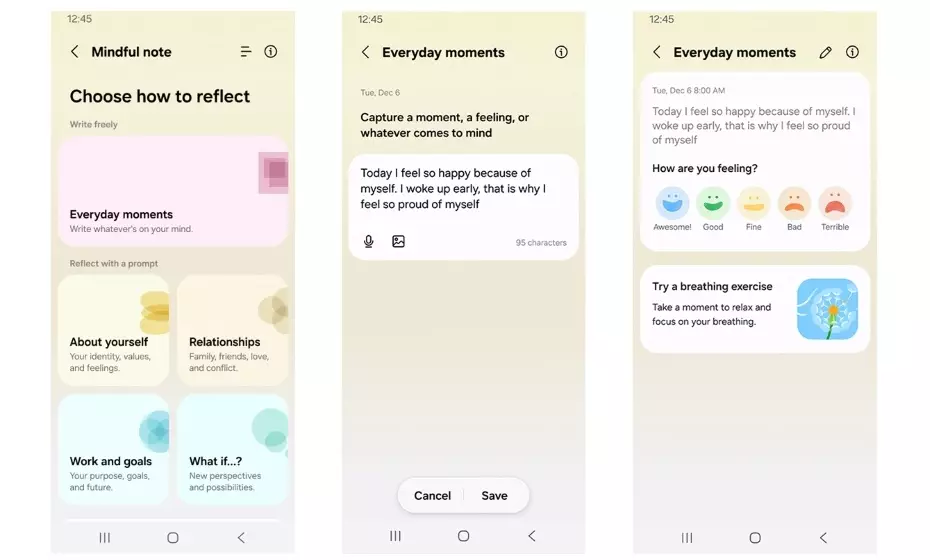
Samsung Health receives two notable additions with the introduction of Mindful Note and Medications.
Mindful Note: This feature adds a built-in journaling tool that allows users to document their daily thoughts and reflections through freeform entries or guided prompts. It is designed for smartphones and is not available on Galaxy Watch devices.
Medications: The new feature allows users to maintain records of prescription medicines, vitamins, and supplements. It also supports customised reminders and medication tracking to help users manage their schedules and monitor adherence. Availability may vary by region. Samsung clarifies that the feature is intended for organisational purposes and does not provide medical advice.
Accessibility and Navigation
One UI 9.5 introduces floating shortcut controls that users can position anywhere on the screen, providing quicker access to frequently used functions and simplifying everyday navigation.
Samsung has also expanded accessibility features for hearing aid users. New controls within the notification panel allow users to adjust audio levels and route individual system sounds, including notifications, ringtones, and alarms, directly to connected hearing devices.
Security and Application Privacy
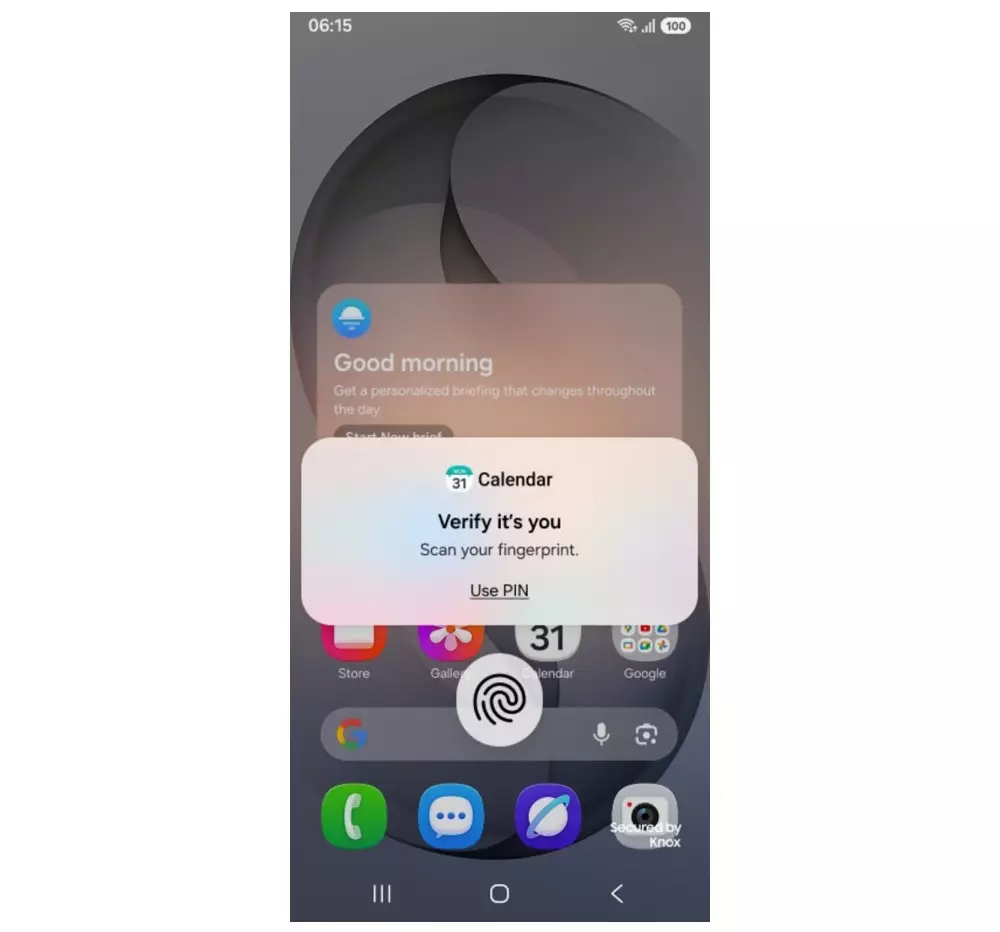
The update strengthens device privacy with the addition of a native App Lock feature. Users can secure individual applications using biometric authentication or their existing screen lock credentials.
Once an application is locked, its associated home screen widgets and incoming notification content remain hidden until the user completes authentication. This provides an additional layer of protection when handing an unlocked smartphone to someone else.


